

Registration Instructions
RSVP with the button below. The Zoom link will be sent by email a couple of days before the meeting, to minimise the possibility of the meeting being “gate-crashed”. Once you have RSVP’d, you can click on the “Join Meeting” button to join the meeting.
Click on this line for Detailed Instructions to RSVP
The RSVP Button should look like this to start with – 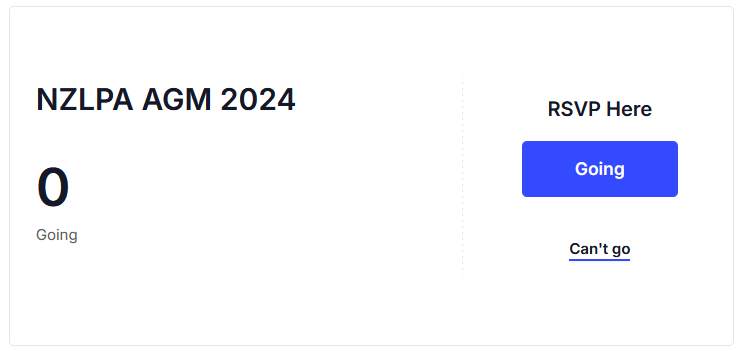 .
.
If you are going, click the blue “Going” button. Then the RSVP panel will change to the following form – 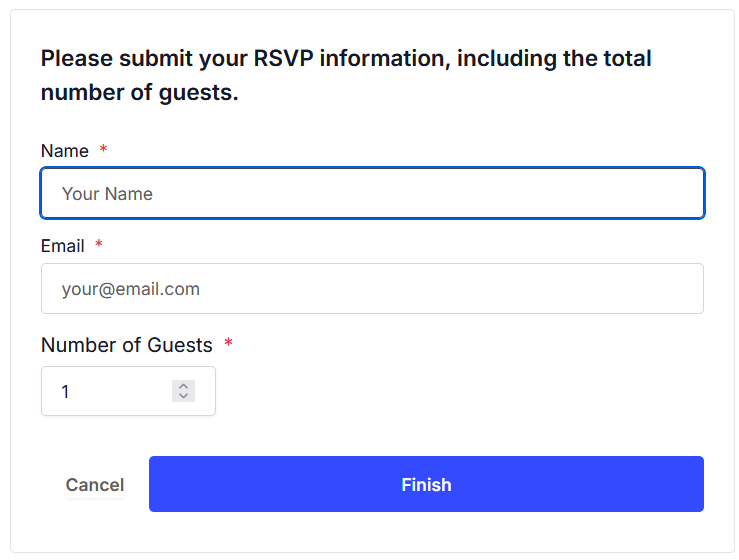 .
.
Once you provide your Name, Email address and Number of guests, click the blue “Finish” button.
You will then be sent an email with your confirmation “ticket”. The email will be from “events@nzlpa.org.nz” – it may display as “nzlpaorgnz@wh2.hostadmin.co.nz on behalf of events@nzlpa.org.nz“. Check you junk/spam folder if necessary and add the address to your “Safe” email list (or put it in your contacts) so that future emails from the address aren’t lost.
The email should look like this – 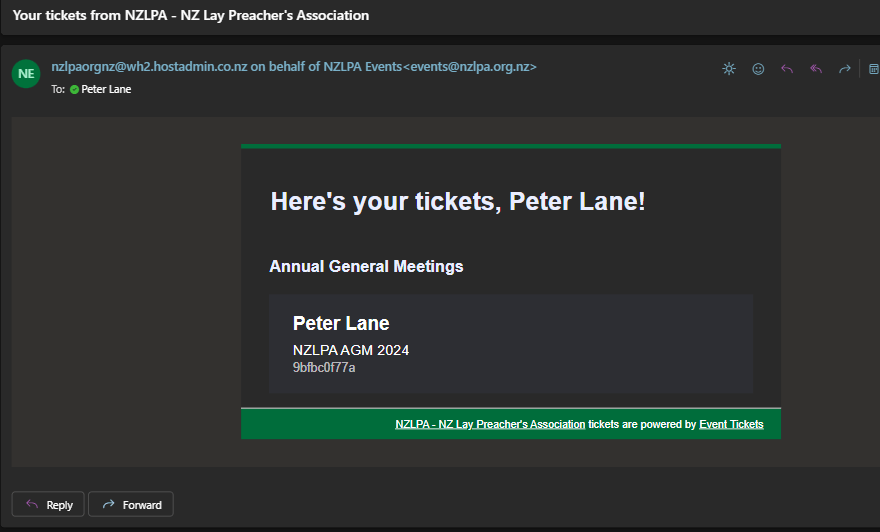
Once this is done successfully, we will send notification about the Meeting, including advice regarding meeting documents and nominees for the executive.